 Zinn® Cache
Update the plugins, or go back to an earlier version
How Zinn® Cache and Zinn® Cache Pro update, and where to download an earlier version of the free plugin if an update needs rolling back.
Updates appear in WordPress
When a new release is published, it appears under Dashboard, Updates like any other plugin. On our hosting, updates are also rolled out for you.
Where updates come from
Zinn® Cache updates from Zinn Digital®. Zinn® Cache Pro updates through Freemius, with your licence.
Fetched when you click
Both plugins fetch the download at the moment you update, so an update seen weeks or months ago still installs.
Find an earlier version
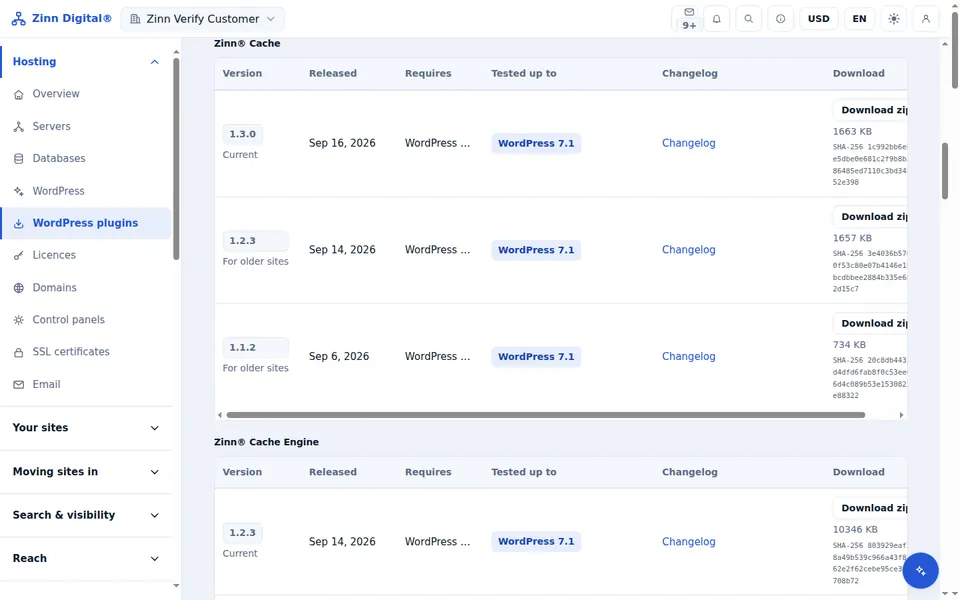
Sign in to the Zinn Digital® app, open Plugins, and choose the Older versions tab. Every published version of the free plugin can be downloaded there; Pro versions are in your Freemius account.
Roll back
Deactivate and delete the current version in WordPress, upload the earlier zip with Add Plugin, Upload Plugin, and activate it. Settings are kept, because they live in the database.
Next guide: Open wp-admin from your dashboard
Included free with Zinn Digital® hosting
Get Zinn® Cache free on Zinn Digital® hosting
Every WordPress site on our own servers comes with Zinn® Cache installed and connected: the page cache is on, the Redis object cache is managed for you, and plugin updates arrive on their own. Zinn® Cache Pro is not included; add it to any site when you want it.