Zinn® Cache
Zinn® Cache — free
A page cache on any web server, a Redis object cache, purging by tag and safe exclusions for shops and signed-in visitors. It is already installed on every WordPress site we host.
A Zinn Digital® product.
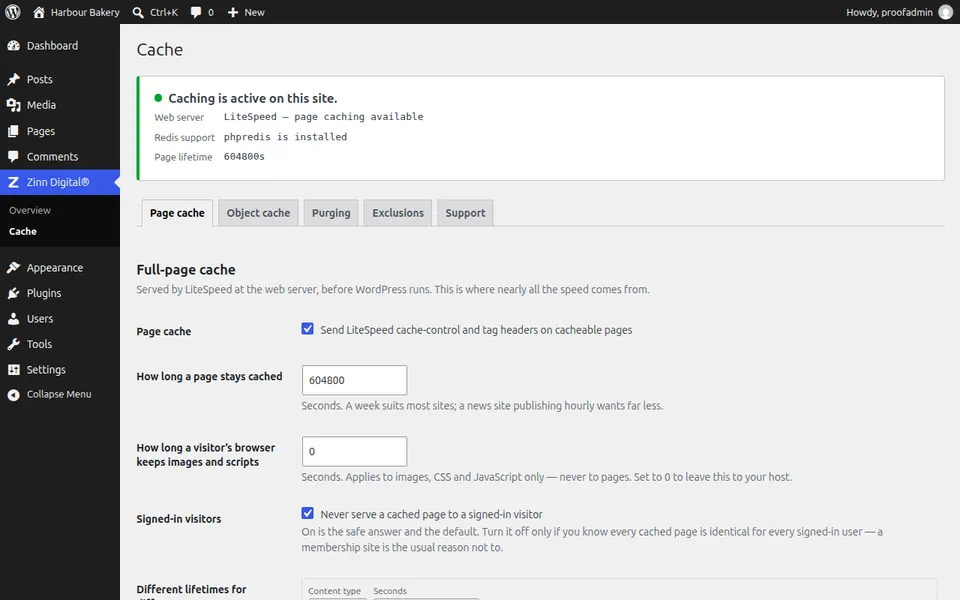
Zinn® Cache is a free page cache and Redis object cache for WordPress on any web server: LiteSpeed's own cache where there is one, the nginx, Varnish or Apache cache your host runs, and a fast file cache everywhere else. Zinn® Cache Pro is the paid add-on that shows what your cache is doing and makes it faster still. Both are translated into 57 languages.
Zinn® Cache is in the WordPress.org plugin directory: install it from Plugins → Add New in your WordPress dashboard, or download it from its WordPress.org page. Zinn® Cache Pro is sold through Freemius, which handles the checkout, the licence and its updates.
Start with the free plugin: it is the page cache. Add Zinn® Cache Pro only if you want to see what the cache is doing and make it faster still.
A page cache on any web server, a Redis object cache, purging by tag and safe exclusions for shops and signed-in visitors. It is already installed on every WordPress site we host.
Installs on top of the free plugin: cache analytics, a slow-query finder, a faster object cache, smart purging, cache warm-up, WebP and AVIF images, unused-CSS removal and delayed JavaScript. Annual licences for one, five or unlimited sites, with a free trial.
Zinn® Cache is the free page cache and object cache. Zinn® Cache Pro is a paid add-on that installs on top of it, for analytics, a slow-query finder, a faster object cache and lighter pages.
Every uncached page view starts PHP, loads WordPress and its plugins, and queries the database before a single byte is sent. A page cache does that work once and hands the result to the next thousand visitors. These plugins exist to make that safe.
On LiteSpeed the plugin stamps cache headers so the server serves the stored page itself. On Apache, nginx or anything else it keeps each page as a file and serves it before WordPress loads. Either way WordPress does not run for a cached view.
Saving, trashing or deleting a post, approving a comment, editing a category or updating a plugin clears the pages carrying the matching cache tags, and leaves the rest warm.
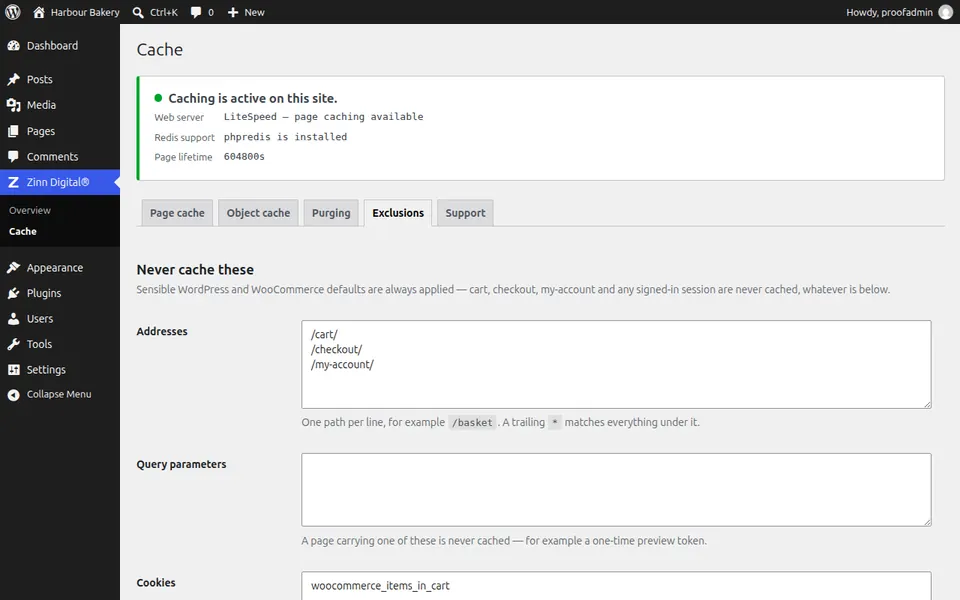
Cart, checkout and account pages, REST and AJAX requests, previews, search results and any visitor with a login or session cookie always get a freshly built page.
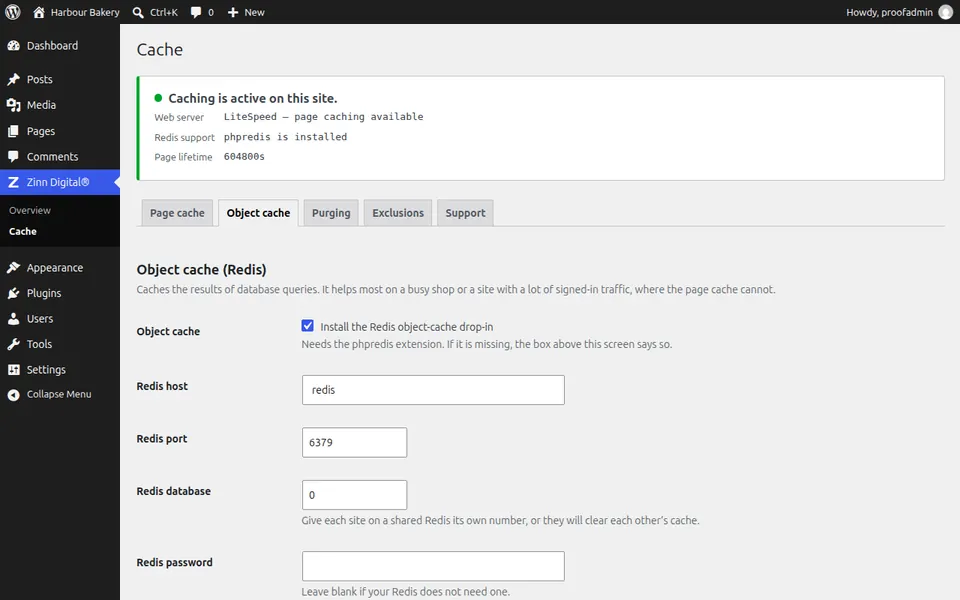
Repeated database reads come from Redis instead of MySQL. If Redis stops answering, the drop-in falls back to an in-memory cache for that request, so the site keeps working.
A status panel tells you which page cache is in use, whether the Redis object cache is really storing data and how long pages are kept — so a cache that is doing nothing says so.
Zinn® Cache updates like any other plugin. Zinn® Cache Pro updates through Freemius with your licence, and an update clicked months after it appeared still installs.
We timed the same WordPress home page on our hosting 60 times as a cached hit and 60 times with the cache bypassed. The figure is the median time the server took to start answering.
Served from the page cache
40 ms
Built by WordPress on every request
107 ms
At the median, the cached page started arriving 2.7 times sooner.
How we measured, and how to measure your own site
WordPress speed test: the same page with Zinn® Cache off and on
Zinn® Cache Pro measures the hit ratio, how much the in-memory tier serves and how fast Redis answers, and names the plugin or theme behind each slow query or cache miss.
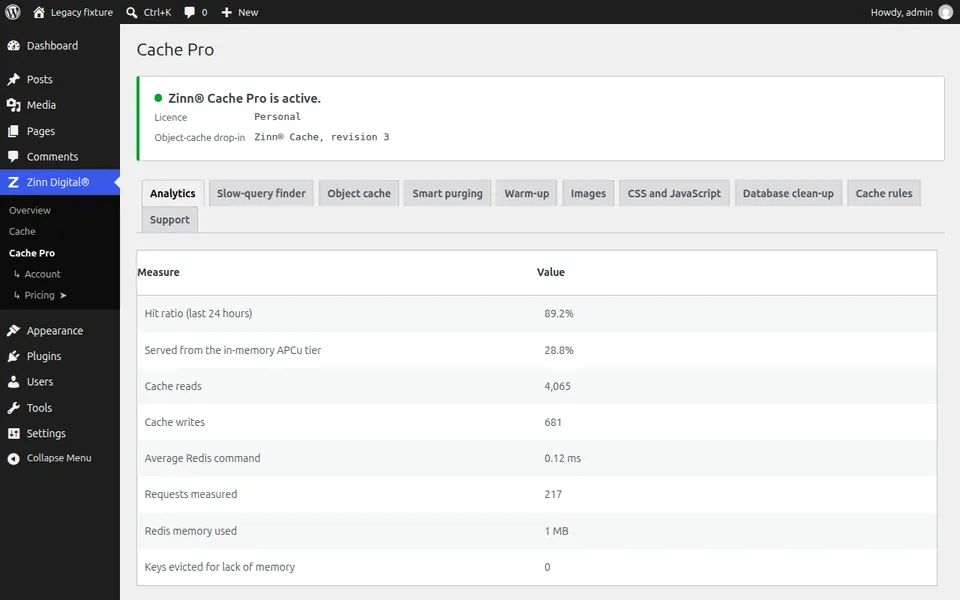
Real screens from both plugins, taken on a working WordPress site.
Works with Zinn® SEO
Zinn® SEO is our SEO plugin, built to keep your site fast. Change a title, a description or a redirect in it and Zinn® Cache clears only the pages you changed, so visitors and search engines see the change straight away.
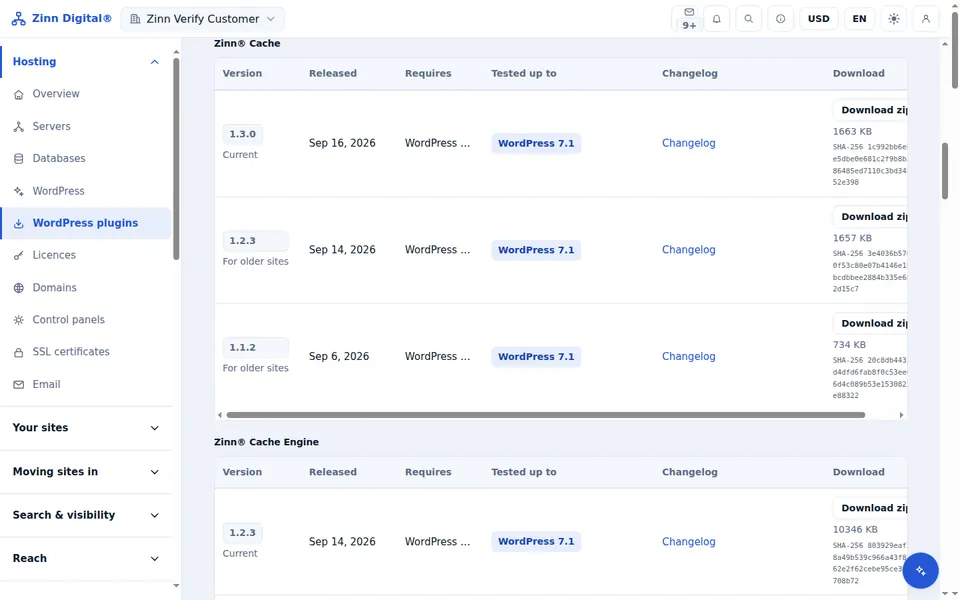
Zinn® Cache is free to download. Zinn® Cache Pro is bought as an annual licence, with a free trial and no card needed. Signed-in customers also get every earlier version of the free plugin in the Zinn Digital® app.
Yes. Zinn® Cache is free to download and use, licensed under the GPL, with no licence key. Zinn® Cache Pro is an optional paid add-on; nothing in the free plugin is switched off to sell it.
No. The free plugin is a complete cache. Add Pro when you want to see what the cache is doing, find slow queries, speed up the object cache or optimise images, CSS and JavaScript. Pro needs the free plugin installed.
Yes. On LiteSpeed or OpenLiteSpeed it uses the server's own page cache. When nginx, Varnish or Apache already caches your pages it purges them there instead of adding a second cache, and on any other server it keeps each page as a file and serves it before WordPress loads. The Redis object cache works on any server with the phpredis extension.
Yes. Cart, checkout and account pages, add-to-cart requests and shoppers carrying a basket or session cookie are never served a cached page, for WooCommerce and Easy Digital Downloads alike.
Zinn® Cache leaves page caching to LiteSpeed Cache if that plugin is active, and routes its purges through it. Use one page cache at a time.
Yes. Zinn® Cache is listed in the WordPress.org plugin directory, so you can install it from Plugins → Add New in your WordPress dashboard. Zinn® Cache Pro is sold through Freemius, not the directory.
The free plugin sends nothing unless you opt in to Freemius or choose to send a support report, which you see in full first. Pro checks its licence and updates with Freemius. On our hosting, Zinn® Cache reports plugin and theme changes to your dashboard, and never visitor data or post content.
Signed-in customers can download every published version of the free plugin from the Older versions tab on the Plugins page in the Zinn Digital® app. Zinn® Cache Pro versions come from your Freemius account.
Both plugins bundle translations for 57 languages, including right-to-left languages. WordPress can load 53 of them today; a community translation, where one exists, takes priority.
Customers hosting with us get support from Zinn Digital®, and so does anyone with a Zinn® Cache Pro licence. Anyone can report a problem, and security issues go to security@zinndigital.com.
Open Zinn Digital® → Cache → Status and press Check now. If nginx caches your pages, Zinn® Cache says so and leaves page caching to it. On the Server cache tab choose nginx and how to purge it: a purge request (ngx_cache_purge), deleting the cache files, or a folder your host's purger reads. If nginx does not cache pages, choose None and the plugin's own file cache does the job.
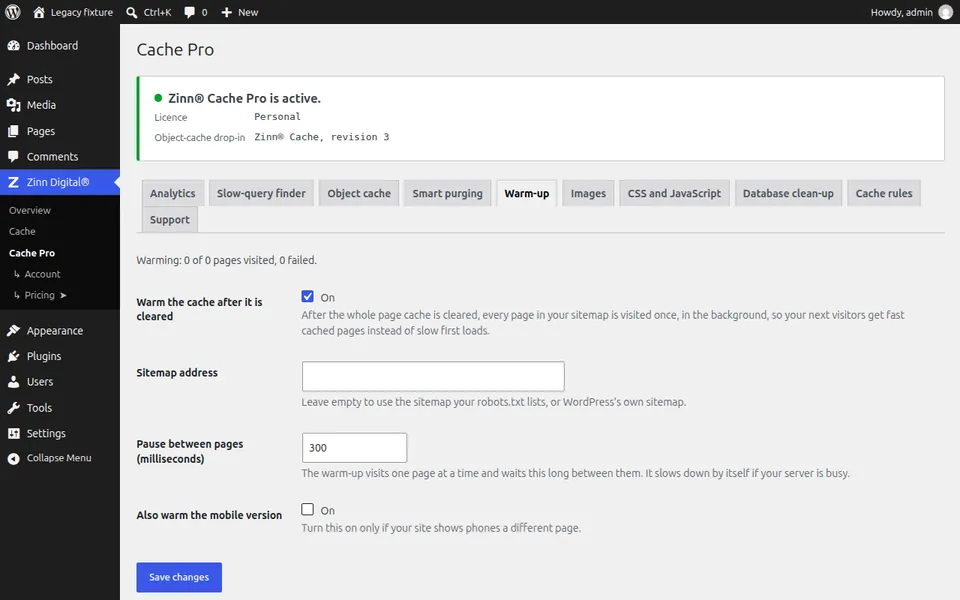
On purpose. Combining files helped on HTTP/1.1 but slows pages on HTTP/2 and HTTP/3. Minifying saves a few percent once files are compressed and is the most common cause of a broken layout. A separate mobile cache doubles every cached page for themes that are responsive anyway; Pro's warm-up can warm a mobile pass for sites that serve phones a different page.
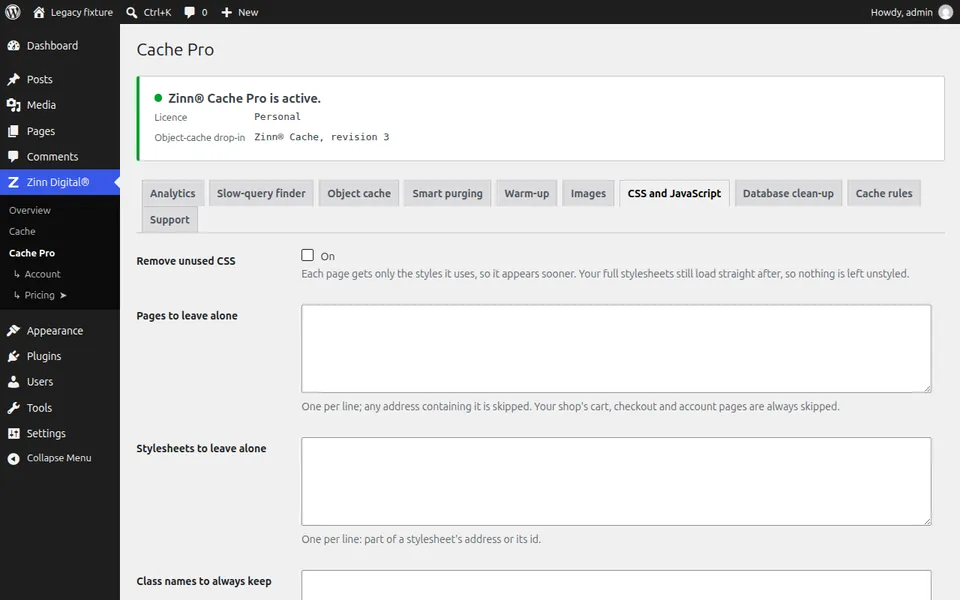
Cache analytics and a slow-query finder, a faster object cache (an APCu tier, prefetching and compression), tag-based purging for WooCommerce, cache warm-up, WebP and AVIF images, missing image sizes, unused-CSS removal, delayed JavaScript, scheduled database clean-up, per-page rules and Cloudflare's hit ratio on the status screen.
Included free with Zinn Digital® hosting
Every WordPress site on our own servers comes with Zinn® Cache installed and connected: the page cache is on, the Redis object cache is managed for you, and plugin updates arrive on their own. Zinn® Cache Pro is not included; add it to any site when you want it.
For Zinn Digital® hosting customers
Hosting customers get a personal code for 50% off their first payment of every Zinn® Pro plugin, straight from their dashboard.